Releasing/archiving projects and artifacts
When the project has reached an important milestone, e.g., a journal article is ready for submission, a release should be created to archive the relevant artifacts with a persistent identifier like a digital object identifier (DOI). The archived release should then be cited in the article so readers can follow the citation back to the project files in order to reproduce or reuse the results.
Integrating with Zenodo
Calkit can archive whole projects or individual artifacts to Zenodo. To enable this functionality, you will either need to connect your Zenodo account with the hub or create a Zenodo personal access token (PAT) and set it in your machine's Calkit config or as an environmental variable.
Option 1: Connecting to the hub
Visit the hub user settings page and click the connect button to authorize the Calkit app to upload to Zenodo on your behalf.
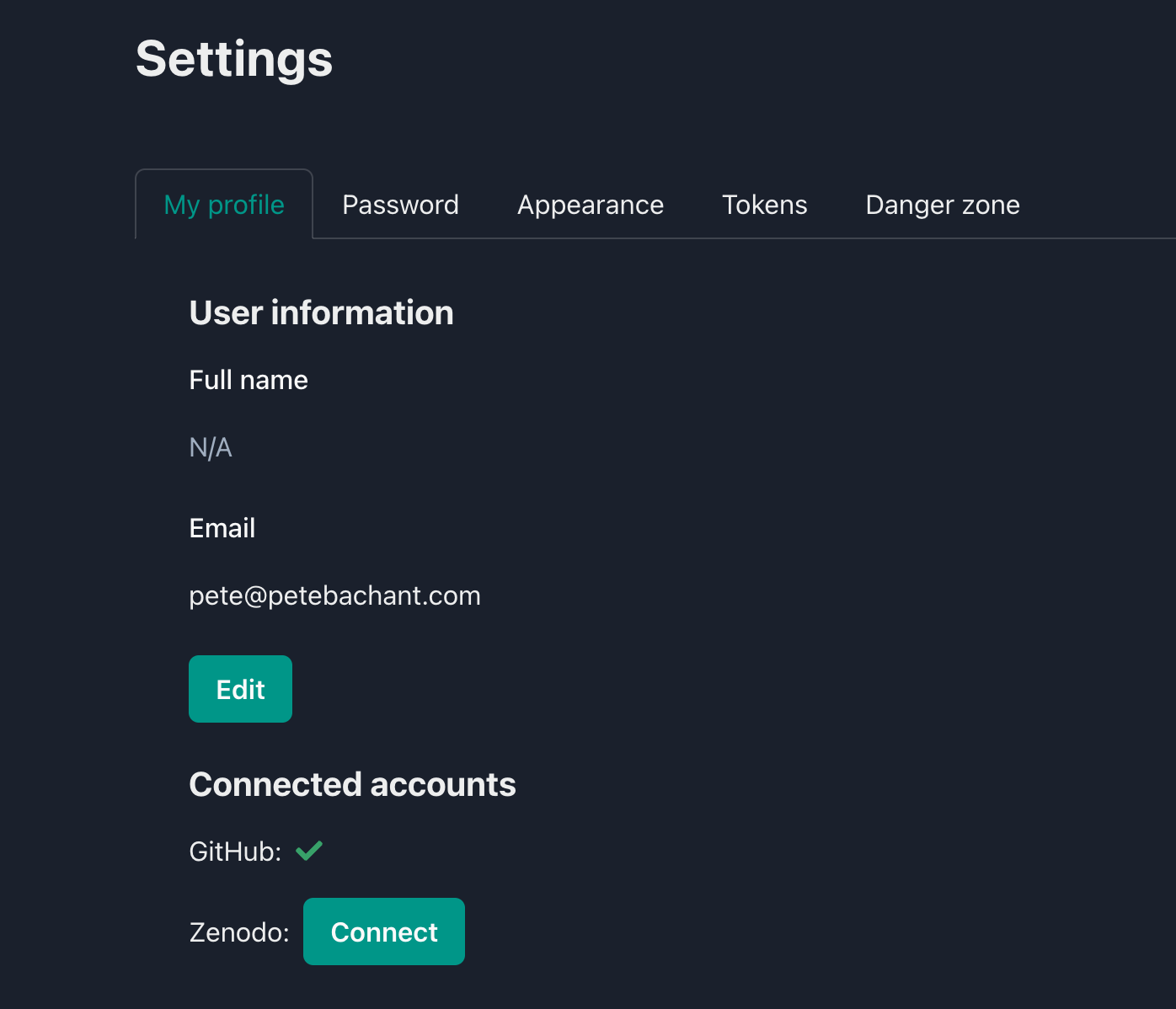
The hub user settings page.
Option 2: Using a Zenodo PAT
If you don't already have a Zenodo PAT, first create one in your Zenodo account settings, then call:
Alternatively,
you may set your token as either the ZENODO_TOKEN or CALKIT_ZENODO_TOKEN
environmental variable.
Creating a release of the project
To create a new release of the entire project, execute:
The release name (submitted-paper above)
should accurately and descriptively identify the release.
For a research project, it might be better to use names of milestones
rather than simple v1, v2, etc.,
You can also use the --description flag to add more details.
When this is called, Calkit will:
- Compress and upload all files kept in Git and DVC to Zenodo, which will produce a DOI, ensuring the release can be accessed even if the repo is relocated.
- Create a Git tag. This can be used to create a release on GitHub if desired.
- Save the MD5 checksums of files kept in DVC in
.calkit/releases/{release_name}/dvc-md5s.yaml. These can be used to populate the DVC cache from Zenodo later on. - Create a
CITATION.cfffile to make the project easier to cite. - Add a badge to the project's
README.mdfile showing the release's DOI. - Add the release to the
releasessection of thecalkit.yamlfile. - Add a BibTeX entry for the release to a references file
(
references.bibby default). - Archive the images of any Docker environments built from a Dockerfile in the project (see Archiving Docker images).
- Create a GitHub release with a link to the Zenodo record.
Releasing the same path again creates a new version of the same Zenodo
record rather than a separate one,
so all versions share a concept DOI and cite as one thing.
Calkit works out which record to add a version to by looking up the previous
release in the releases section of calkit.yaml.
Warning
This means the release record has to make it back to the branch you
release from.
If you skip committing it with --no-commit,
or commit it to a branch that never gets merged,
the next release won't find the earlier record
and will mint a brand new Zenodo record instead of a new version of the
existing one.
Zenodo has no way to merge two records after the fact.
Archiving Docker images
A registry makes no promise to keep an image forever, and an image built from a Dockerfile can't be rebuilt to the same bytes once the packages it installs have moved on, so a project release carries its Docker images itself.
For each environment whose image is built in the project,
Calkit exports the image with docker save
and uploads it to the record alongside the project archive as
docker-image-{environment_name}.tar.gz.
An environment named after someone else's image is left out,
since it can be pulled from wherever it came from,
and images like TeX Live's would add gigabytes to every release
for something the project doesn't own.
The images are uploaded as their own files rather than being folded into
archive.zip, so that a reader who only wants the data doesn't have to
download several gigabytes of image, and vice versa.
Calkit also writes
.calkit/releases/{release_name}/docker-images.yaml,
which is committed to Git,
recording for each image its SHA-256 ID, the environment and image name,
the file it was uploaded as, its architecture, and its layers:
sha256:928d7b8bd38205143f...:
  environment: blsim
  image: blsim
  path: docker-image-blsim.tar.gz
  architecture: arm64
  os: linux
  layers:
    - sha256:...
    - sha256:...
  repo_digests:
    - ghcr.io/someone/some-project/blsim@sha256:...
This is what lets a checkout of the project find its way back to the image later, described in Fetching images.
The archive is a gzipped tarball written by docker save.
Its contents follow the
OCI image layout
--- an oci-layout marker, an index.json, and content-addressed blobs
under blobs/sha256/ --- so it can be read by any OCI-aware tool, not only
Docker, with a legacy manifest.json written alongside for older versions
of Docker to load.
Note that this format comes from the Docker daemon rather than from Calkit:
a daemon using the containerd image store writes an OCI layout, while one
using the legacy image store writes the older Docker image format instead.
Either loads with docker load.
Note
Images are archived for whole-project releases published to Zenodo or
CaltechDATA. Releases of a single artifact don't include them, and
neither do internal (local) releases. Pass --no-docker-images to skip
them, e.g., if an image is large and already published somewhere durable.
docker save exports the image for the platform it's run on, so a
multi-platform image is archived for one platform only.
Licenses and authors
The archived record needs both license and author metadata.
Calkit detects the project's license(s) automatically from a LICENSE file
(common names like LICENSE.txt, LICENSE.md, and COPYING are also
recognized), supporting common licenses such as MIT, Apache-2.0, the BSD
family, the GPL family, CC-BY-4.0, and others.
If no license is found, you'll be prompted to generate a sensible default
(MIT for code, CC-BY-4.0 for other content).
You can also specify license(s) explicitly with one or more --license
options using SPDX identifiers, e.g.,
--license mit.
Authors are stored in the project's CITATION.cff file, which is the single
source of truth for citation authors and is itself created/updated by Calkit
on each project release.
When creating a release, Calkit reads the authors from CITATION.cff; if
none are defined yet, it will prompt you to enter them and write them to
CITATION.cff (existing author entries are always preserved).
Releasing other types of artifacts individually
To release only one artifact, e.g., a dataset or publication, execute:
Including what reproduces the artifact
By default this releases the artifact on its own.
In a project that builds more than one thing,
you may want to ship a single publication together with everything
needed to rebuild it,
and nothing else.
Adding the --pipeline option does that:
calkit new release \
    --name my-publication-v1 \
    --kind publication \
    --pipeline \
    path/to/the/publication.pdf
Calkit finds the pipeline stage that produces the path,
walks back through the stages it depends on,
and archives the artifact alongside those stages,
their inputs and environments,
and a calkit.yaml, dvc.yaml, and dvc.lock pruned to match.
Stages that have nothing to do with the artifact are left out.
Before the release goes out,
the archive is extracted and run to check it reproduces on its own.
Note
The pipeline must be up-to-date before releasing, since the release records the state that produced the artifact.
Releasing to CaltechDATA
CaltechDATA is an instance of the InvenioRDM software that powers Zenodo, so archiving there is a similar process.
First, set your CaltechDATA PAT with:
Then, in the new release command, simply add the --to caltechdata
option.